Product

From customer signal to product direction.

Collect feedback where it happens, give it a place in your team’s workflow, and understand what keeps coming up.

01 / Capture

Bring product feedback into one clear flow.

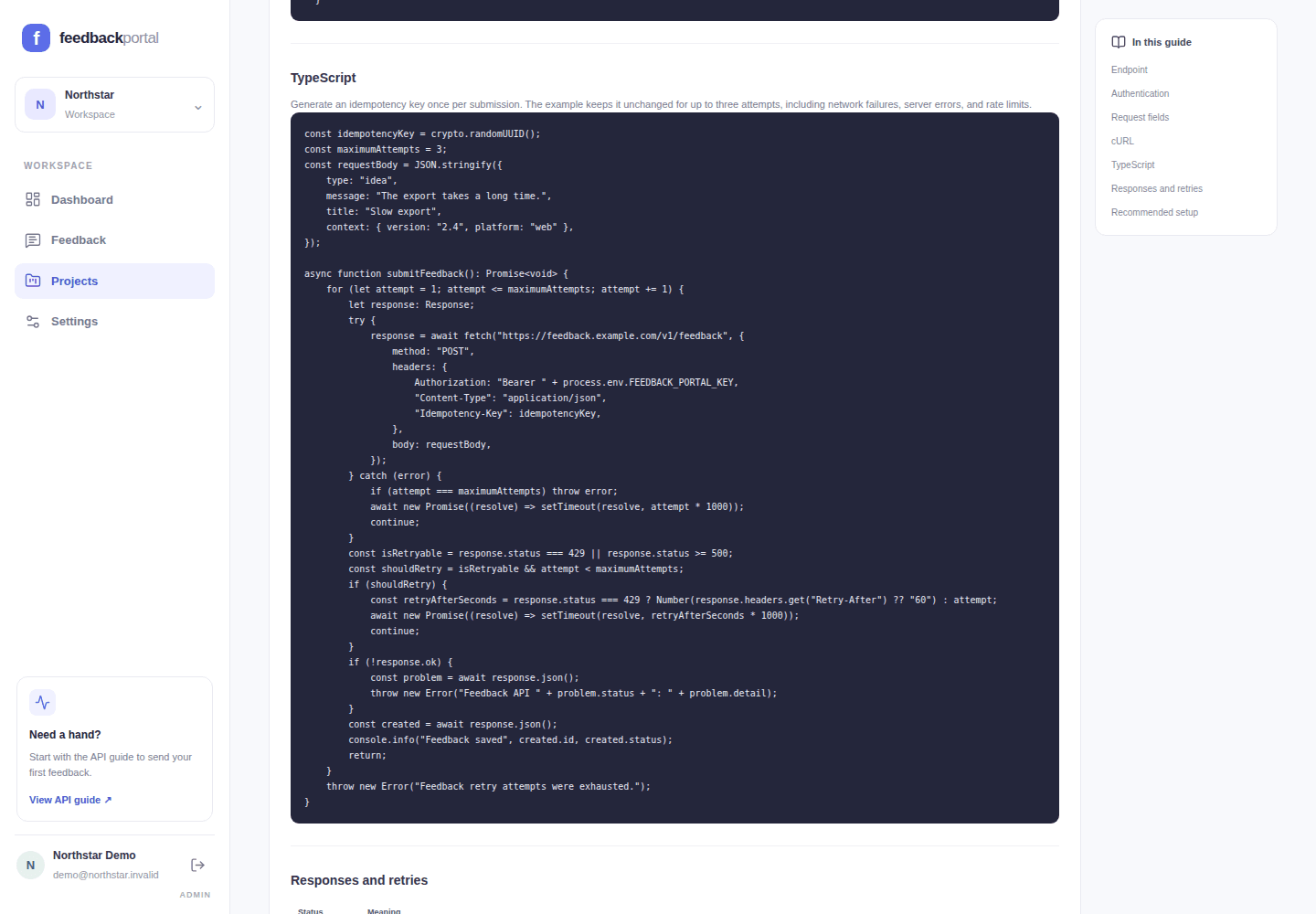
Send structured feedback from your server with a single endpoint. Add context like platform or product version so each submission has useful detail.

  • POST /v1/feedback
  • Keep API keys on your server
  • Test and Live project keys
API guide showing a TypeScript integration example
Capture feedback, clearly in view
02 / Organize

Turn a growing inbox into work your team can move forward.

Find the right feedback with search and filters. Triage submissions by status, group related ideas with tags, and keep project context close by.

  • Search by content and context
  • Filter by project, type, status, and tag
  • Apply tags and update status
Feedback workspace with search filters, tagged submissions, and status controls
Organize feedback, clearly in view
03 / Understand

See patterns across the feedback you collect.

Review feedback volume over time and break it down by project, type, status, or tag. Daily, weekly, and monthly views help your team explore the signal at different levels.

  • Track submission trends
  • Compare project, type, and status breakdowns
  • Explore Live and Test data separately
Dashboard with a monthly feedback trend and breakdowns by type and status
Understand feedback, clearly in view

Projects and environments

Keep feedback sources distinct and credentials under control.

Group feedback by project, create separate Test and Live API keys, and export the records your team needs.

  • Separate Test and Live feedback by project
  • Create and revoke project API keys
  • Export feedback as CSV or JSON
Read the API guide
Projects and API keys
Projects page showing separate Test and Live API keys for each feedback source

A practical feedback workflow

Give useful feedback a clear next step.

Get started